One tool, from “it’s broken” to “it’s shipped”
However your feedback arrives — bugs, requests, or customer notes — FeedbackGraph captures it, understands it with evidence, and routes it to the work that fixes it.
How do teams use FeedbackGraph for bug tracking?
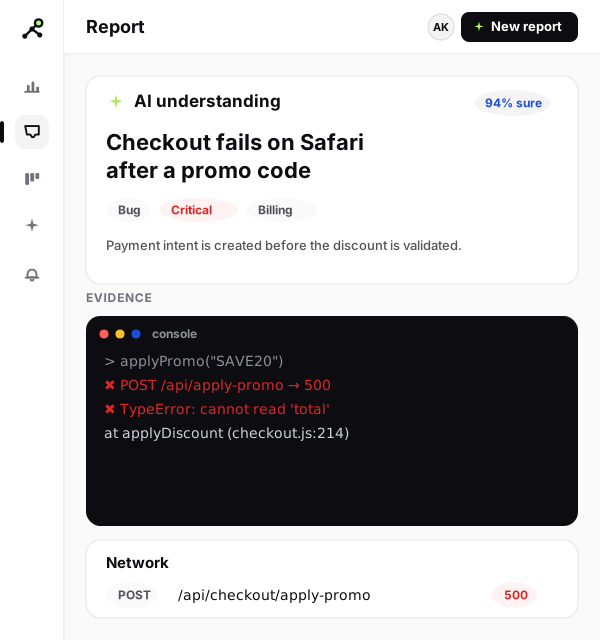
Reporters send a screenshot or recording in two clicks. FeedbackGraph attaches the console errors, failed requests and JavaScript exceptions automatically, writes a clear title and severity, and routes the bug to your tracker — so engineers reproduce it in minutes, not email threads.
- Two-click capture with full technical context
- AI severity and type, with the proof shown
- One-click routing with status synced back
How do I manage feature requests in FeedbackGraph?
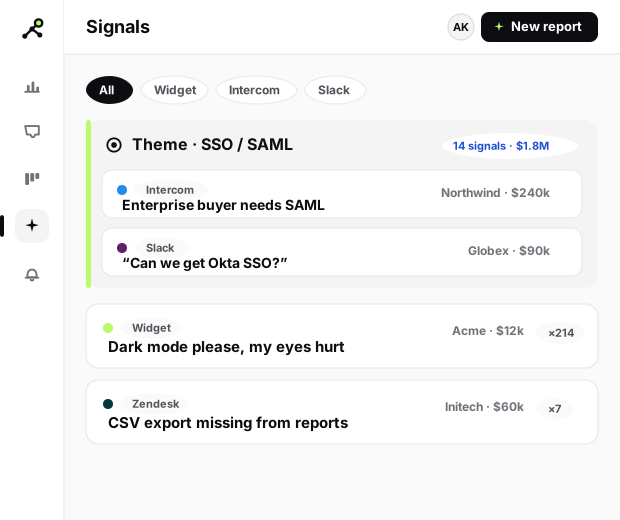
Collect requests from the widget, CSV import, and your Intercom, Zendesk and Slack inboxes. FeedbackGraph groups them into themes and ranks each one by the accounts and revenue behind it — so you build what matters most.
- One inbox for every request
- Themes grouped automatically
- Revenue-backed scoring
How do I collect customer feedback in one place?
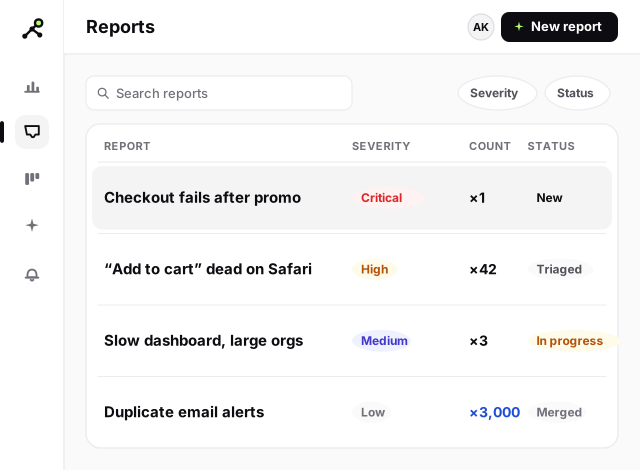
Give customers a hosted form or an embedded widget — no account needed. Every piece of feedback is enriched, deduped and linked to the account it came from, so nothing gets lost and the trends are obvious.
- Public form or embedded widget
- Deduped and account-linked
- Closed-loop updates to reporters
How does FeedbackGraph help QA and UAT teams?
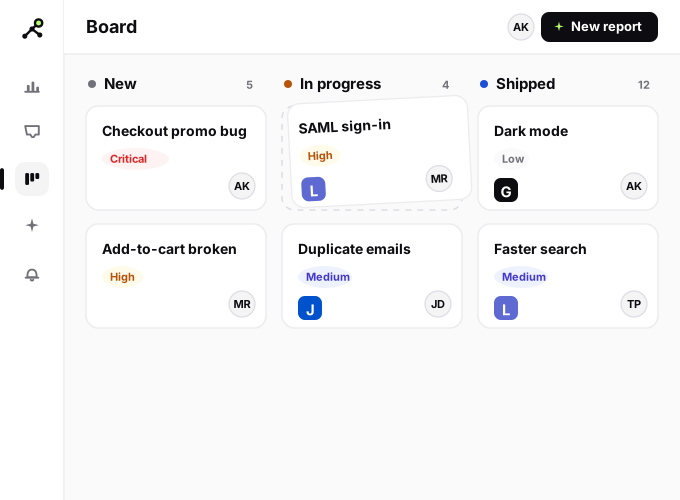
Your QA testers and UAT reviewers file issues the same two-click way, with environment, console and network context captured for them — so every bug is reproducible. Triage on a shared board, assign owners, sign off faster, and catch regressions before they reach customers.
- Repeatable bug reports with full technical context
- Shared triage board with owners and status
- Faster UAT sign-off; catch regressions pre-release
How do I decide what to build next?
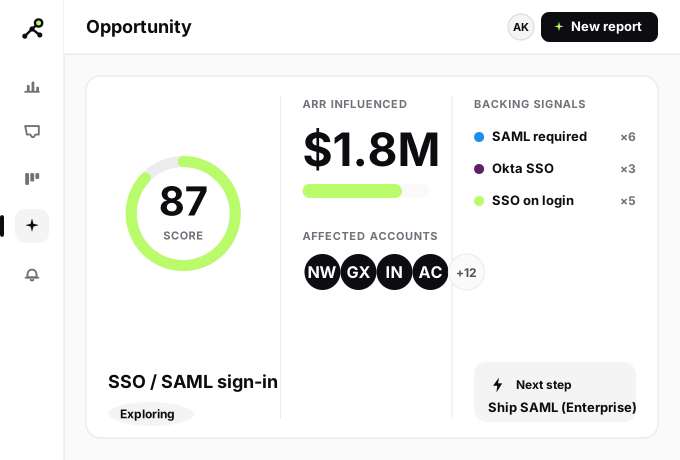
Every opportunity opens into a dossier: the signals behind it, the accounts and ARR affected, and a suggested next step. Move it across the roadmap from exploring to shipped.
- Opportunity dossiers
- ARR-weighted prioritization
- Exploring to shipped roadmap
How do I keep customers updated with a public roadmap?
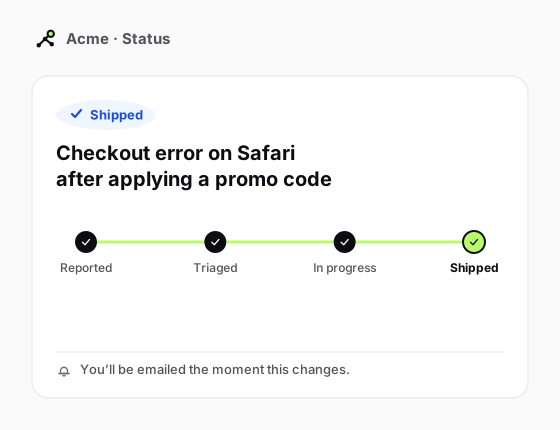
Share what you are building and tell reporters the moment their issue ships. A public status page keeps customers informed without a single manual update.
- Public status page
- Automatic reporter notifications
- Status synced from your tracker
How does FeedbackGraph scale feedback across an enterprise?
Each team’s data stays walled off from the rest, six built-in roles control who can see and do what, and your keys are encrypted. Export or delete on request, with an audit trail on every action.
- Postgres row-level security
- 6-role access control + per-project scoping
- GDPR export/delete and an audit log
Use-case FAQ
Can FeedbackGraph handle both bugs and feature requests?+
Yes. The same two-click capture and AI triage work for bug reports and feature requests. Bugs route to your tracker with evidence; requests roll up into revenue-scored opportunities.
Where does the feedback come from?+
The capture widget, a hosted feedback form (no code), CSV import, and the Intercom, Zendesk and Slack connectors — all in one signal inbox.
Is it useful for non-technical teams?+
Yes. Support and product teams live in the inbox and board; the AI does the technical understanding, and routing handles the handoff to engineering.
Can I keep each team’s data isolated?+
Yes. Postgres row-level security isolates every team’s data on every request, six roles control access, and you can scope members to specific projects.
How does FeedbackGraph help QA and UAT?+
QA and UAT testers file two-click bug reports with the console, network and environment context captured automatically, so every issue is reproducible. Teams triage on a shared board and sign off UAT faster, catching regressions before release.
How does capturing feedback increase revenue?+
FeedbackGraph ranks bugs and feature requests by the accounts and ARR behind them, so you fix and build what protects renewals and drives expansion — turning raw feedback into revenue-backed priorities.